
CTR Calculator
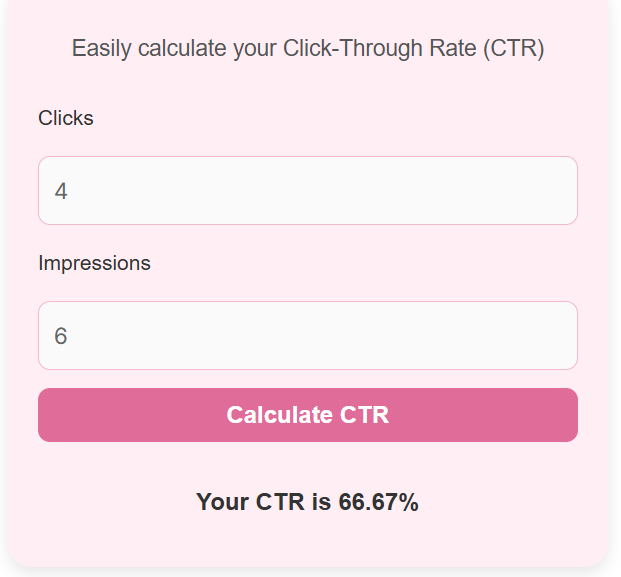
Easily calculate your Click-Through Rate (CTR)
What is a CTR Calculator?
A CTR (Click-Through Rate) Calculator is a simple tool that helps you measure how effective your online content or ads are at attracting clicks. It calculates the percentage of people who clicked your link compared to how many saw it, helping you understand how engaging and relevant your campaign is.
CTR is one of the most important metrics in digital marketing, used across Google Ads, Facebook, Instagram, and YouTube to track real performance.
By using a CTR Calculator, you can quickly check how your ads, posts, or email campaigns are performing without doing manual math.
A higher CTR means your content connects well with your audience, while a lower CTR may signal it is time to adjust your design, copy, or targeting strategy. This quick insight helps you make smarter decisions and improve your marketing results.
How to Use the CTR Calculator?
Using the CTR Calculator is very straightforward:
- Enter the total number of clicks your ad or post received.
- Enter the total number of impressions (how many times it was viewed).
- Click the Calculate button.
Your CTR will appear instantly as a percentage. This lets you quickly understand how well your campaign is performing at a glance.
You can use this calculator for Google Ads, Facebook or Instagram promotions, YouTube thumbnails, or email campaigns. It is best to compare similar types of content for more accurate insights.
How to Calculate CTR: Formula and Worked Example
CTR equals clicks divided by impressions, times 100. Write it as CTR = (clicks / impressions) x 100. The answer is a percentage. If 250 people click out of 10,000 who saw the ad, the rate is 2.5 percent.
A small change in CTR can mean a large change in relative terms. A rise from 2 percent to 3 percent is a gain of one point, but it is a 50 percent rise in the rate. Work out that rise with the Percentage Increase Calculator before you report it.
Worked example
Take 250 clicks and 10,000 impressions. Divide 250 by 10,000 to get 0.025, then multiply by 100 to get a CTR of 2.5 percent.
Read the result against your level before you start the campaign. A CTR near the top of the usual range for your channel is strong. A CTR far below that range means the first line or the image needs work.
What Is a Good CTR?
What counts as good depends on where the ad runs. Search ads often reach 3 to 5 percent, while display ads often sit near 0.5 percent. Email campaigns can reach higher CTRs than ads, often 2% to 5% or more.
Compare your result with the same channel and the same kind of ad, not with a different channel. A 2 percent CTR can be strong for display and weak for search.
When to Use a CTR Calculator
Use CTR when you test headlines, images, and offers. Run two versions of an ad, keep everything else the same, and let CTR pick the winner.
Use it with the cost of the ads. CTR tells you if people click, and CPM tells you what a thousand views cost. Use the CPM Calculator, then judge the clicks against that cost.
Use it after each round of testing, not only at the end of a campaign. A weekly check shows if a change helped or hurt, while the campaign is still live.
Limitations of CTR
CTR does not measure sales, sign ups, or quality. An ad can earn many clicks from the wrong people, and a low CTR can still bring the right buyers. Use CTR with sales, sign ups, or return, not on its own.
A high CTR does not guarantee profit. A click costs money, and a sale must cover that cost. Check what happens after the click with the Contribution Margin Calculator before you raise the budget.
Improving Your CTR
Start with the headline and the image, because they decide if a person stops to look. Say what the reader gets, in plain words, and show one clear benefit. A vague headline rarely wins a click.
Match the ad to the page it leads to. If the ad promises a discount, the page must show that discount at once. A mismatch brings clicks that leave fast, and it hurts the result you were trying to improve.
Advantages of Using a CTR Calculator
1. Quick and Accurate Results
No need for manual calculations. The CTR calculator gives you exact results within seconds.
2. Better Marketing Insights
Knowing your CTR helps you identify which campaigns, headlines, or visuals perform best.
3. Data-Driven Decisions
By comparing CTRs from different campaigns, you can refine your strategy and focus on what actually works.
4. Simple and User-Friendly
The interface is clean, responsive, and easy for anyone to use. No technical knowledge required.
FAQs
1. What is CTR?
CTR stands for Click-Through Rate, the ratio of clicks to impressions, shown as a percentage. Use it to compare ads on the same channel, because the same number means different things on different platforms.
2. What is a good CTR?
A good CTR depends on the platform. On average, anything above 2% to 5% is considered strong. Search ads often sit at the top of that range, while display ads are usually lower.
3. Why is CTR important?
CTR helps you measure how appealing and relevant your content is to users. A higher CTR usually leads to better engagement and conversions. It shows if the first thing a person sees is worth a click.
4. Can I use this calculator for any platform?
Yes, this calculator works perfectly for Google Ads, YouTube, Facebook, Instagram, and other online platforms. Enter clicks and impressions from one platform at a time for a fair result.
Conclusion
CTR is a simple rate with a clear meaning. It shows how often a view turns into a click, and it helps you test, compare, and improve your ads. Use it with cost and sales, not on its own, and your marketing choices will rest on real numbers.
Key Points to Remember
Remember these three points. CTR is clicks divided by impressions, times 100. Always use clicks and views from the same ad and the same period. Judge a result against the same channel, not against a different one.
A single CTR never tells the whole story. Read it with cost, sales, and the quality of the clicks that follow. That mix shows if an ad is truly working.
Disclaimer
This calculator gives an estimate for general information only. It does not measure sales, profit, or the quality of the people who click. Results depend on the clicks and impressions you enter.
Use the result with other measures of a campaign, such as cost, sales, and return. Check any large budget choice with the person or team who owns the campaign.