
Introduction
The Average Calculator is a free online tool that finds the average of any set of numbers in seconds. It is made for students working out their marks, teachers checking class results, and anyone who needs a quick, reliable average without doing the sums by hand, parents splitting costs, shoppers comparing prices, or workers tracking hours. You just type in your numbers, and the calculator adds them up and divides by how many there are.
What is Average Calculator?
An Average Calculator is a simple online tool that helps you quickly calculate the average of a set of numbers. Whether you are a student, professional, or anyone dealing with numbers, this calculator saves time and ensures accurate results without manual calculations.
The average, also called the mean, is the single number that best represents a whole set of numbers. It smooths out the highs and lows, so instead of a long list of figures you get one clear value to compare and use. It is used everywhere: in school results, sports statistics, weather reports and business figures, whenever one clear number is easier to understand than a whole list. There are other types of averages too, such as the median (the middle value) and the mode (the most common value), but the ordinary average, or mean, is the one people use most often. To work out a mean in more detail, try our mean calculator, and to find the middle point between two numbers, see our midpoint calculator.
Formula: How the Average Is Calculated
The average is calculated with a simple formula:
Average = sum of numbers ÷ count of numbers
First, the calculator adds all your numbers together. Then it counts how many numbers you entered. Finally, it divides the total by that count. The result is the average, shown with two decimal places. For example, the average of 10, 20 and 30 is (10 + 20 + 30) ÷ 3 = 60 ÷ 3 = 20.
Example
Suppose you scored 10, 20 and 30 in three short quizzes and want your average score. Type 10, 20, 30 into the box and click Calculate Average. The calculator adds the numbers (10 + 20 + 30 = 60), counts them (3 numbers), and divides: 60 ÷ 3 = 20. The result is shown as: Average: 20.00. So your average quiz score is 20.
How to Use It
- Enter your numbers separated by commas (e.g., 10, 20, 30).
- Click on the Calculate Average button.
- The average of the entered numbers will be displayed instantly below the button.
You can enter negative numbers too, and you can calculate as many numbers as you like.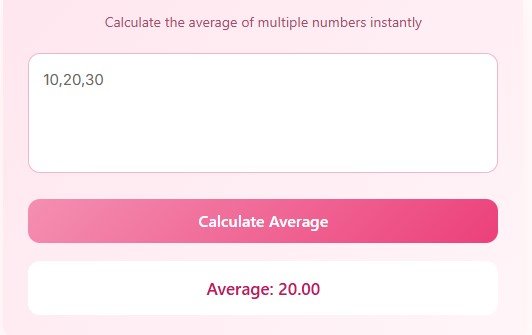
Advantages of Using Average Calculator
An average turns a long list of numbers into one number you can use. Here is what this calculator is good at:
- Quick and accurate results – No manual errors.
- Students and teachers – Work out test scores, marks and class averages in seconds.
- Everyday money – Find your average daily spending or your average monthly bill.
- Planning and tracking – Keep an eye on average speeds, hours or scores over time.
- Grades and GPA – If you are working out grade averages, our GPA calculator can turn them into a grade point average.
- User-friendly interface – Simple design for everyone.
- Responsive design – Works on mobiles, tablets, and desktops.
- Time-saving tool – Ideal for students, teachers, and professionals.
- Free to use – Accessible without any registration or installation.
FAQs
Q1: Can I enter negative numbers?
Yes, the calculator supports both positive and negative numbers.
Q2: What separators can I use?
Use commas to separate numbers. Spaces are automatically ignored.
Q3: How many numbers can I calculate at once?
You can calculate as many numbers as you like, but for very large datasets, performance may vary depending on your device and browser.
Q4: Is this calculator free?
Absolutely! It’s completely free to use online without any signup.
Q5: Can I use decimal numbers?
Yes. You can enter decimal numbers such as 4.5 or 9.75, and the calculator will include them in the average calculation.
Disclaimer
Disclaimer: This Average Calculator is for educational and informational purposes only. The results are estimates and should not replace professional advice. Always double-check important results before making decisions.