
Reference Angle Calculator
What is Reference Angle Calculator?
A Reference Angle Calculator is a useful online math tool that helps students quickly determine the reference angle of any given angle in degrees or radians. In trigonometry, the reference angle is the smallest positive angle formed between the terminal side of an angle and the x-axis. It is always an acute angle (between 0° and 90°).
Understanding reference angles is essential in trigonometry because they help simplify calculations involving sine, cosine, and tangent functions. Instead of working with large angles such as 210°, 330°, or 450°, mathematicians and students convert them into their corresponding reference angles. This makes solving trigonometric problems easier and faster.
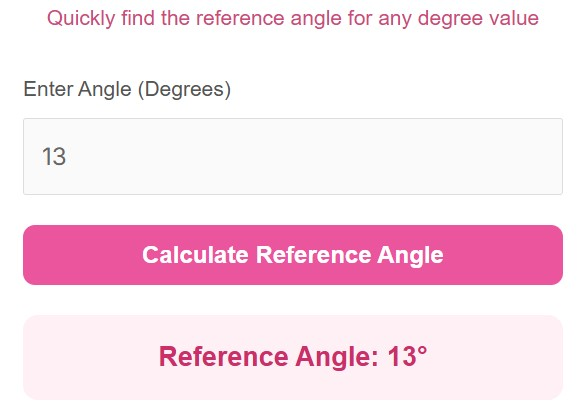
Our Reference Angle Calculator automates this process. Instead of manually determining the quadrant and applying formulas, you simply enter the angle value, and the calculator instantly determines the reference angle.
The concept of reference angles is closely related to the unit circle, where angles are measured from the positive x-axis and rotate counterclockwise. Each quadrant follows a different rule for calculating the reference angle. This calculator automatically identifies the correct quadrant and applies the proper rule.
unit circle
In mathematics and trigonometry courses, reference angles are commonly used when solving problems involving trigonometric identities, graphing functions, and analyzing periodic motion. By using this calculator, students, teachers, and professionals can quickly verify their answers and improve their understanding of trigonometric concepts.
Whether you are studying for exams, solving homework assignments, or working on engineering calculations, a reference angle calculator provides a fast and reliable solution.
How to Use It
Using the Reference Angle Calculator is extremely simple and only requires a few steps. Even beginners with minimal math knowledge can easily use it.
Step 1: Enter the Angle Value
First, type the angle value into the input field. Most calculators allow you to enter angles in degrees, which is the most common format used in trigonometry.
Step 2: Click the Calculate Button
After entering the value, click the Calculate Reference Angle button. The calculator will immediately process the input.
Step 3: View the Result
Within seconds, the tool will display the reference angle, which is the smallest positive angle between the terminal side and the x-axis.
Step 4: Verify the Quadrant (Optional)
Many students like to double-check which quadrant the angle belongs to. The calculator internally determines this and applies the correct rule.
The typical rules used for calculating reference angles are:
Quadrant I (0°–90°) → Reference angle = θ
Quadrant II (90°–180°) → Reference angle = 180° − θ
Quadrant III (180°–270°) → Reference angle = θ − 180°
Quadrant IV (270°–360°) → Reference angle = 360° − θ
By automating these steps, the calculator saves time and prevents common mistakes students make during manual calculations.
Advantages of Using a Reference Angle Calculator
Using an online reference angle calculator provides several benefits, especially for students and teachers working with trigonometry problems.
1. Saves Time
Manually calculating reference angles requires identifying quadrants and applying formulas. The calculator completes this process instantly.
2. Reduces Errors
Students often make mistakes when determining quadrants or applying subtraction formulas. Automated calculations eliminate these errors.
3. Easy to Use
The calculator has a simple interface. You only need to input the angle and click calculate.
4. Helpful for Learning Trigonometry
Students can use the tool to verify homework answers and understand how reference angles work.
5. Useful for Exams and Homework
When practicing problems, the calculator can help confirm results quickly.
6. Works on All Devices
Most modern calculators are fully responsive and work smoothly on mobile phones, tablets, and desktop computers.
7. Improves Mathematical Understanding
By repeatedly using the calculator, students begin to recognize patterns in quadrants and reference angle rules.
8. Supports Large Angles
Angles larger than 360° or negative angles can also be simplified using the calculator.
Overall, this tool is an excellent learning aid for anyone studying trigonometry, algebra, physics, or engineering mathematics.
FAQs
What is a reference angle in trigonometry?
A reference angle is the smallest positive angle formed between the terminal side of an angle and the x-axis. It is always less than or equal to 90°.
Why are reference angles important?
Reference angles help simplify trigonometric calculations. They allow you to determine sine, cosine, and tangent values for large angles using known values from the first quadrant.
Can reference angles be negative?
No. A reference angle is always a positive acute angle between 0° and 90°.
Can the calculator work with angles greater than 360°?
Yes. The calculator automatically reduces large angles into their equivalent angles within a full circle before calculating the reference angle.
Do reference angles work with radians?
Yes. In advanced mathematics, reference angles can also be calculated in radians, though many basic calculators use degrees.
Who should use a reference angle calculator?
This tool is useful for students, teachers, engineers, and anyone studying trigonometry or mathematics.
Is this calculator accurate?
Yes. The calculator uses standard trigonometric rules to determine the correct reference angle.
Does the reference angle depend on the quadrant?
Yes. The quadrant determines which formula is used to calculate the reference angle.
Disclaimer
This calculator is provided for educational and informational purposes only.
While we strive for accuracy, users should verify results when using them for academic or professional work.