
Trigonometry Calculator
Quickly find sine, cosine, or tangent values
What is a Trigonometry Calculator?
A Trigonometry Calculator is a specialized online tool designed to help you quickly compute the values of sine, cosine, and tangent for any given angle. Trigonometry is a branch of mathematics that deals with the relationships between the sides and angles of triangles, particularly right-angled triangles. Understanding these relationships is essential for students, engineers, architects, and professionals working in physics, navigation, and computer graphics.
Using a Trigonometry Calculator eliminates the need for manual calculations and complex formulas, making it an efficient and accurate way to solve trigonometric problems. Instead of spending time converting degrees to radians, applying formulas, and checking results, this calculator provides instant answers with just a few clicks.
How to Use It
Using the Trigonometry Calculator is straightforward and user-friendly. Here’s a step-by-step guide to get the most out of it:
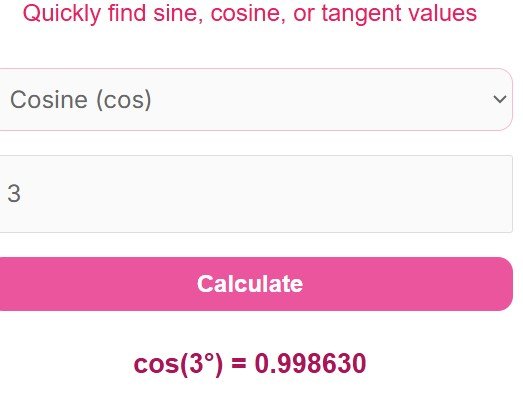
Select the Trigonometric Function: First, choose the function you want to calculate — sine (sin), cosine (cos), or tangent (tan). Each function serves a different purpose depending on the type of triangle problem you are solving.
Enter the Angle: Input the angle value in degrees into the calculator. The angle must be a numerical value, and you can enter decimal values for higher precision.
Click Calculate: After selecting the function and entering the angle, simply click the Calculate button. The result will appear immediately, showing the trigonometric value of the chosen function for the given angle.
This calculator is designed to be fully responsive, which means you can use it on any device desktop, tablet, or mobile without any loss of functionality or readability.
Advantages of Using a Trigonometry Calculator
Using a Trigonometry Calculator comes with several benefits that make it an essential tool for students and professionals alike:
Time-Saving: It delivers instant results, saving valuable time compared to manual calculations.
Accuracy: It reduces the risk of errors that often occur with hand calculations or using tables.
Convenience: Accessible anytime, anywhere without the need for software installation.
Educational Support: Helps students learn and verify their answers, improving understanding of trigonometric concepts.
Device Compatibility: Works perfectly on all modern devices and browsers.
Whether you are solving homework problems, preparing for exams, or working on engineering projects, this tool ensures precise and fast calculations every time.
FAQs
Q: Can I use this calculator for angles in radians?
A: The calculator currently accepts degrees only. However, you can easily convert radians to degrees using the formula: degrees = radians × (180/π).
Q: Is the calculation accurate?
A: Yes, the calculator uses JavaScript’s Math functions to ensure accurate results suitable for most educational and professional applications.
Q: Do I need any software or plugins to use it?
A: No. This calculator works entirely in your browser, with no downloads or installations required.
Q: Can I use it on my mobile device?
A: Absolutely. The calculator is fully responsive and works smoothly on smartphones, tablets, and desktops.
Q: Are there any limitations?
A: The calculator is intended for educational purposes and general use. For highly specialized engineering or scientific calculations, manual verification is recommended.
Disclaimer:
This calculator is provided for educational and informational purposes only. While it offers accurate results for most applications, always verify critical calculations manually before using them in exams, projects, or professional work.