
Pixel Calculator
🌸 Easily convert your design dimensions (mm) to pixels — quick, accurate, and stylish!
Pixel Calculator – Convert Millimeters (mm) to Pixels Accurately
The Pixel Calculator is a simple yet powerful online tool designed to help designers, developers, printers, and digital marketers convert physical dimensions into precise pixel values. By entering width, height, and DPI, this pixel calculator instantly provides accurate pixel dimensions for web, print, and graphic design projects.
It eliminates guesswork, ensures design consistency, and saves time by delivering fast, reliable results. Whether you are preparing images for responsive websites, high-quality prints, or UI layouts, this pixel calculator guarantees professional accuracy. Its clean interface and responsive design make it easy to use on any device.
This tool is ideal for beginners and professionals who need dependable dimension conversions. Use this pixel calculator to maintain perfect resolution across all your design workflows.
How to Use the Pixel Calculator
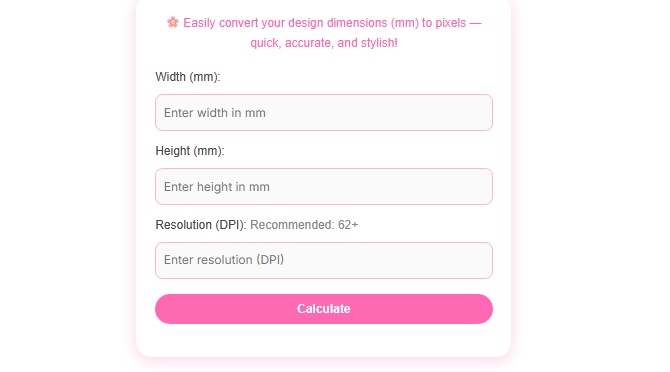
Enter the Width (mm)
Type the width of your design or image in millimeters (mm).
👉 Example: 300
- Enter the Height (mm)
Type the height in millimeters.
👉 Example: 400 - Enter the Resolution (DPI)
DPI means dots per inch — it decides how sharp your image will be.- Recommended: 62
Why Use a Pixel Calculator for Design Projects
A pixel calculator is essential when working with both physical and digital measurements. Designers often receive dimensions in millimeters, but screens and digital platforms rely on pixels. This tool bridges that gap by converting mm to pixels using DPI. It helps avoid distorted images, incorrect scaling, and low-quality outputs. By using a pixel calculator, you ensure your designs look sharp on screens and prints. It is especially useful for banners, posters, thumbnails, and social media graphics. Accurate pixel conversion improves professionalism and visual consistency.
Benefits of Using an Online Pixel Calculator
An online pixel calculator provides instant results without installing software. It simplifies complex calculations and reduces human error. This tool is fast, responsive, and accessible from any device. It supports multiple DPI values, allowing flexibility for print and digital use. Designers can experiment with different resolutions easily. Using a pixel calculator improves workflow efficiency and saves valuable time. It is a reliable solution for everyday design needs.
Pixel Calculator for Print and Web Accuracy
Different platforms require different resolutions, and this pixel calculator helps manage that easily. For print projects, higher DPI ensures sharp output. For web and mobile designs, optimized pixel sizes improve loading speed and clarity. This tool allows precise conversion based on your chosen DPI. It ensures your designs appear exactly as intended. Using a pixel calculator helps maintain quality across multiple platforms. It is a must-have tool for accurate design scaling.
FAQs – Pixel Calculator
1. What is a Pixel Calculator?
A pixel calculator converts physical measurements like millimeters into pixels using DPI.
2. Why is DPI important in pixel conversion?
DPI determines image resolution and directly affects pixel output accuracy.
3. Can I use this pixel calculator for print designs?
Yes, it is ideal for both print and digital design projects.
4. Is this pixel calculator free to use?
Yes, it is completely free and accessible online.
5. Does this tool work on mobile devices?
Yes, the pixel calculator is fully responsive and mobile-friendly.
Disclaimer
This pixel calculator provides estimates for design reference only. Results may vary based on device, display, or printing standards.