
Dot Product Calculator
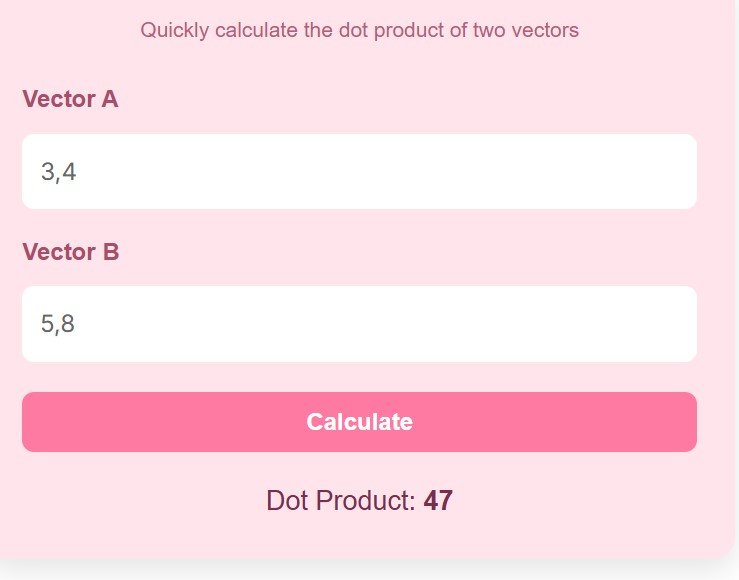
Quickly calculate the dot product of two vectors
What is Dot Product Calculator?
A Dot Product Calculator is a simple yet powerful online tool used to compute the dot product (also known as the scalar product) of two vectors quickly and accurately. In mathematics and physics, the dot product is a fundamental operation that multiplies corresponding elements of two vectors and then sums the results to produce a single scalar value.
This calculation is widely used in fields like linear algebra, machine learning, engineering, and physics. Instead of manually performing multiple multiplications and additions, a dot product calculator automates the process, saving time and reducing the chances of errors.
If you need to work with one vector on its own first, try the Vector Calculator.
For example, if you have two vectors A = (a₁, a₂, a₃) and B = (b₁, b₂, b₃), the dot product is calculated as:
a₁×b₁ + a₂×b₂ + a₃×b₃
This tool is especially helpful for students, developers, and professionals who regularly deal with vector calculations.
How to Use Dot Product Calculator
Using a dot product calculator is very simple and requires only a few steps:
- Enter Vector A
Input the first vector in the given field. Values should be separated by commas (e.g., 1,2,3). - Enter Vector B
Input the second vector in the same format. Make sure both vectors have the same number of elements. - Click on Calculate
Press the calculate button to instantly compute the result. - View the Result
The calculator will display the dot product as a single numeric value.
Important Tips:
- Both vectors must have equal dimensions.
- Only numeric values should be entered.
- Avoid spaces or special characters for accurate results.
This easy process makes the tool accessible even for beginners with no advanced math knowledge.
Dot Product Formula
For two vectors in three dimensions, the formula is A dot B equals a1 times b1 plus a2 times b2 plus a3 times b3. With two parts, use the first two terms only. With four parts, add a fourth term in the same way.
Take A equal to 1, 2, 3 and B equal to 4, 5, 6. Multiply the matching parts: 1 times 4 is 4, 2 times 5 is 10, and 3 times 6 is 18. Add the products to get the dot product.
The sum is 4 plus 10 plus 18, which is 32. Enter 1,2,3 for Vector A and 4,5,6 for Vector B in the calculator above. It gives 32, so the worked example and the calculator agree exactly.
What Your Answer Tells You
A positive answer means the vectors point in broadly the same direction. A zero answer means they are at right angles to each other. A negative answer means they point in broadly opposite directions.
Our worked example gives 32, which is positive. That tells us the angle between A and B is acute, so under 90 degrees. A larger positive value means the vectors line up more closely.
You can use this sign check in your own work. If you expect two vectors to be perpendicular, look for a dot product of zero. If you get a large value with the wrong sign, check that you entered each number in the right place.
Dot Product, Angles and Projections
The dot product also links to the angle between vectors: A dot B equals the length of A times the length of B times cos theta. If you know the dot product and both lengths, you can find cos theta and then the angle.
For our example, the length of A is the square root of 14, about 3.74, and the length of B is the square root of 77, about 8.77. The product of the lengths is about 32.83, so cos theta is about 0.97 and the angle is about 13 degrees.
The same idea gives a projection, which is how much of one vector lies along another. That is why the dot product appears in physics for work, in graphics for lighting, and in machine learning for similarity.
The Matrix Calculator can help you work with the matrices that hold vector data.
Common Mistakes to Avoid
The most common mistake is to use vectors with different lengths. If A has three numbers and B has two, the dot product is not defined. Check that both lists have the same count before you calculate.
Another mistake is to mix up the order of the numbers or to miss a comma. That changes which parts are multiplied together. Read the two lists side by side, one pair at a time, before you press Calculate.
A third mistake is to round too early. Keep full values while you multiply and add, and round only the final answer. That keeps small errors from adding up in longer vectors.
How to Check Your Result
Check a new result with a short manual test first. Try A equal to 2, 3 and B equal to 4, 1. The products are 8 and 3, so the dot product is 11. The calculator should give the same answer.
Also test a case you can picture. Use A equal to 1, 0 and B equal to 0, 1. The products are 0 and 0, so the answer is 0. That matches the rule that perpendicular vectors have a dot product of zero.
If your manual check and the calculator agree, you can trust the result and move on. If they differ, re-enter the numbers slowly. A single wrong digit is the most common cause of a mismatch.
For a related matrix topic, see the Eigenvalue and Eigenvector Calculator.
For a related vector method, try the Gram-Schmidt Calculator.
Advantages of Dot Product Calculator
Using a dot product calculator offers multiple benefits, especially for users who want speed, accuracy, and convenience.
1. Saves Time
Manual calculations can be time-consuming, especially with large vectors. This tool provides instant results.
2. Reduces Errors
Human errors are common in repetitive calculations. The calculator ensures accurate outputs every time.
3. Beginner-Friendly
You don’t need deep mathematical knowledge to use the tool. Its simple interface makes it easy for students and beginners.
4. Useful for Multiple Fields
Dot product calculations are widely used in:
- Physics (work, force, projections)
- Computer graphics (lighting and angles)
- Machine learning (vector similarity)
- Engineering and mathematics
5. Accessible Anywhere
Being an online tool, it can be used on mobile, tablet, or desktop devices without installing any software.
6. Improves Productivity
Developers and professionals can focus on complex tasks instead of basic calculations.
FAQs
What is a dot product in simple terms?
The dot product is the sum of the products of corresponding elements of two vectors. It results in a single number (scalar).
Can I use vectors of different lengths?
No, both vectors must have the same number of elements. Otherwise, the calculation is not valid.
Is this calculator accurate?
Yes, it performs precise mathematical calculations and eliminates manual errors.
Where is dot product used in real life?
It is used in physics (to calculate work), computer graphics, data science, and machine learning for measuring similarity between vectors.
Do I need to install anything?
No, this is an online tool that works directly in your browser.
Can beginners use this tool?
Absolutely. The calculator is designed to be simple and user-friendly for everyone.
Disclaimer
This tool is intended for educational and general-purpose use only.
Always verify critical calculations for professional or academic applications