
Data Transfer Calculator
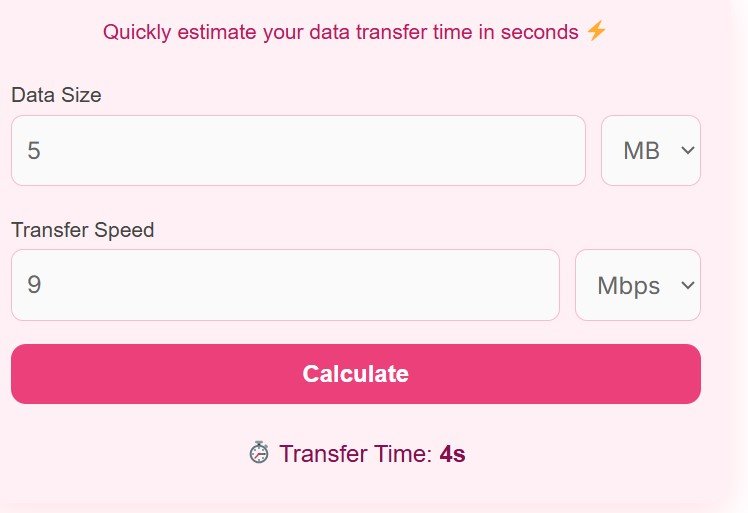
Quickly estimate your data transfer time in seconds ⚡
What is Data Transfer Calculator?
A Data Transfer Calculator is a useful online tool that helps you estimate the time required to transfer data from one place to another based on file size and transfer speed. Whether you are uploading files to a server, downloading movies, transferring backups, or working in cloud computing, this calculator gives you a quick and accurate estimate of how long the process will take.
In today’s digital world, where data sizes are increasing rapidly and internet speeds vary significantly, understanding transfer time is essential. A Data Transfer Calculator takes inputs like file size (KB, MB, GB, TB) and network speed (Kbps, Mbps, Gbps) and calculates the total time required for the transfer.
This tool is especially helpful for developers, IT professionals, content creators, and everyday users who frequently deal with large files. Instead of guessing, you can plan your tasks efficiently using precise calculations.
How to Use It
Using a Data Transfer Calculator is very simple and requires only a few steps:
- Enter Data Size
Input the size of the file you want to transfer. You can choose units like KB, MB, GB, or TB depending on your file. - Select Unit
Choose the correct unit for your data size to ensure accurate results. - Enter Transfer Speed
Add your internet or network speed. This can be in Kbps, Mbps, or Gbps. - Choose Speed Unit
Select the appropriate speed unit that matches your internet connection. - Click Calculate
Press the calculate button to instantly get the estimated transfer time. - View Result
The result will show the time in seconds, minutes, or hours, depending on the size and speed.
This simple process makes it easy for anyoneeven beginners to estimate transfer durations without complex calculations.
Advantages
Using a Data Transfer Calculator comes with several benefits:
1. Accurate Time Estimation
It provides precise calculations, helping you know exactly how long a transfer will take instead of relying on rough guesses.
2. Time Management
You can plan uploads, downloads, and backups more efficiently, especially when working with large files.
3. Useful for Professionals
Developers, network engineers, and IT professionals can use it to optimize workflows and manage data operations.
4. Helps Compare Internet Speeds
You can test different speeds to see how they impact transfer time, helping you decide if you need a faster connection.
5. Beginner-Friendly
The tool is easy to use and does not require any technical knowledge.
6. Supports Multiple Units
It works with various data and speed units, making it flexible for different use cases.
7. Saves Effort
Manual calculations involving bits and bytes can be confusing. This tool automates everything instantly.
FAQs
1. What is data transfer speed?
Data transfer speed refers to how fast data moves from one device to another, usually measured in Kbps, Mbps, or Gbps.
2. Why does file transfer take longer than expected?
Actual transfer time may vary due to network congestion, server limitations, or hardware performance, even if the calculator shows a specific estimate.
3. Does this calculator work for uploads and downloads?
Yes, it works for both uploading and downloading data as long as you enter the correct speed.
4. What is the difference between bits and bytes?
1 byte equals 8 bits. Internet speeds are usually measured in bits, while file sizes are measured in bytes.
5. Can I use this for cloud storage transfers?
Yes, it is perfect for estimating transfer times for cloud uploads, backups, and file sharing.
6. Is the result 100% accurate?
The calculator provides a theoretical estimate. Real-world performance may vary due to external factors.
7. Which unit should I use for large files?
For large files, it is best to use GB or TB to get clearer and more meaningful results.
Disclaimer
This calculator provides estimated results based on ideal conditions and may not reflect real-world transfer speeds.
Actual performance can vary depending on network conditions, hardware, and service provider limitations.