

Amazon FBA Sales tax has transformed the way entrepreneurs build and scale e-commerce businesses. But behind the convenience of fulfilled-by-Amazon logistics lies one of the most complex compliance obligations a seller will ever face: sales tax.
Ignoring sales tax is not a viable strategy. State tax authorities are increasingly aggressive, and the penalties for non-compliance including back taxes, interest, and fines can erase years of profit overnight.
This guide cuts through the confusion. Whether you are just launching your first product or scaling a seven-figure operation, understanding your sales tax obligations is non-negotiable.
What Makes Amazon FBA Sales Tax So Complicated?
Traditional retail is straightforward: one store, one state, one set of rules. FBA sellers operate differently.
Amazon distributes your inventory across fulfillment centers in multiple states. That single operational decision quietly creates tax obligations across the entire country often without sellers realizing it.
You are not just selling online. You are running a multi-state business, and the tax code treats you accordingly.
How Is Amazon FBA Sales Tax Calculated?
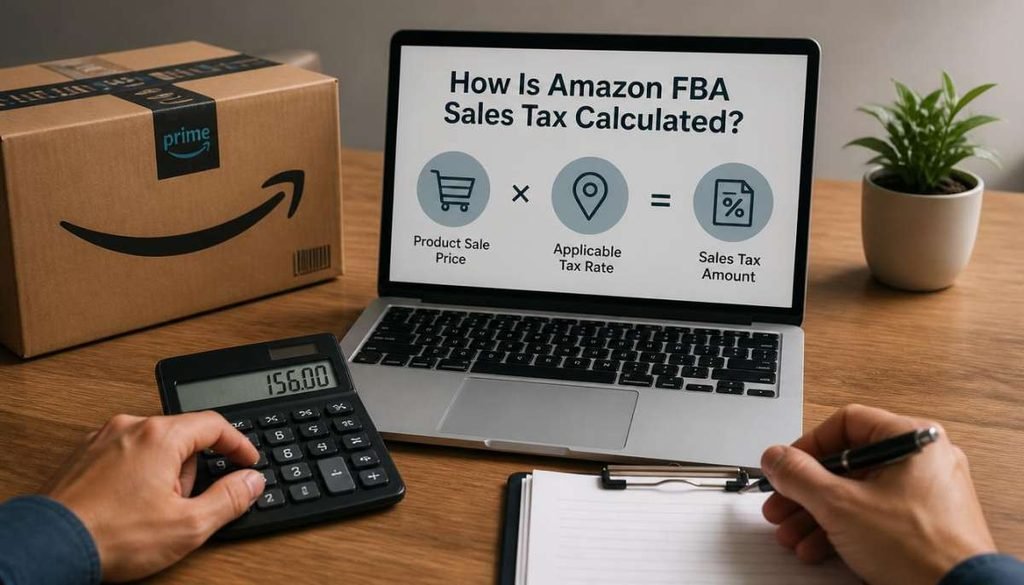
Calculating Amazon FBA sales tax starts with identifying whether the transaction is taxable, determining the applicable tax rate, and applying that rate to the taxable amount. The exact calculation can vary depending on the customer’s location, the product being sold, and the tax rules that apply in that jurisdiction.
A simple sales tax calculation can be represented as:
Taxable Sale Amount × Applicable Sales Tax Rate = Sales Tax
For example, if a taxable product sells for $100 and the applicable combined sales tax rate is 7%, the sales tax would be $7.
However, Amazon FBA transactions can be more complicated than this basic formula. State and local jurisdictions may have different rates, and some products may receive special tax treatment. Shipping charges, discounts, exemptions, refunds, and product taxability can also affect the final amount.
For marketplace transactions where Amazon is required to collect and remit sales tax, Amazon generally performs the transaction-level tax calculation at checkout. Sellers should still understand how the calculation works so they can review their reports, identify discrepancies, and maintain accurate tax records.
Amazon FBA Sales Tax Calculation Example
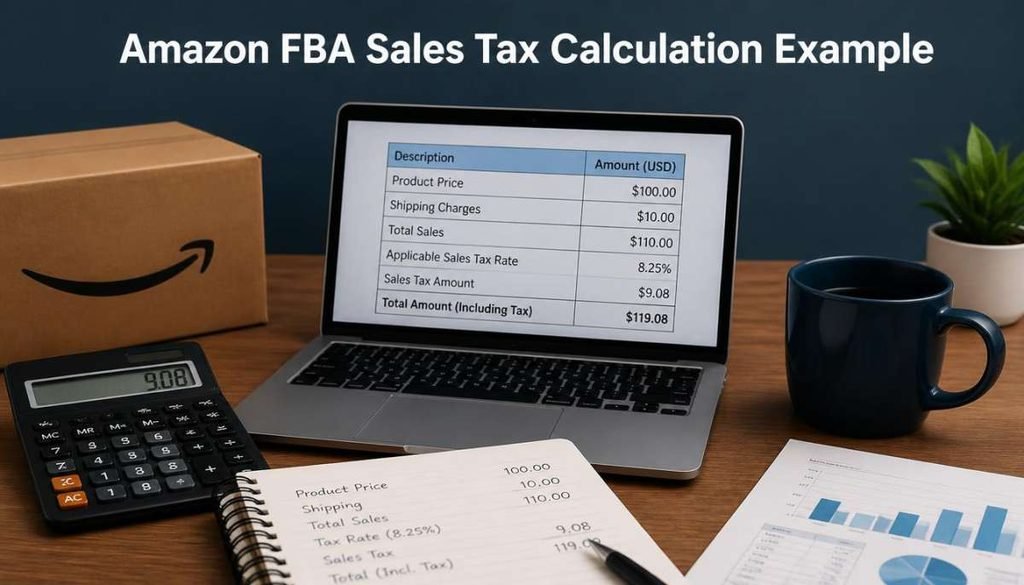
Suppose you sell a taxable product on Amazon for $100, and the applicable combined sales tax rate for the customer’s location is 7%.
The calculation would be:
$100 × 7% = $7 sales tax
The customer would therefore pay:
$100 + $7 = $107 total
This is a simplified example. An actual Amazon transaction may involve additional factors, such as shipping charges, discounts, product-specific tax rules, exemptions, or returns.
For this reason, sellers should not assume that one sales tax rate can be applied to every Amazon order. The applicable tax treatment can change depending on where the customer receives the order and how the product is classified for tax purposes.
The most practical approach is to use Amazon’s transaction and tax reports to review the amounts calculated and collected for individual orders and across different jurisdictions.
Understanding Sales Tax Nexus
What Is Nexus?
Nexus is the legal term for a sufficient connection between your business and a state that obligates you to collect and remit sales tax. Think of it as the threshold that, once crossed, makes you a taxpayer in that jurisdiction.
Every sales tax obligation begins with nexus. If you do not have nexus in a state, you have no duty to collect tax from buyers there. If you do, failing to collect becomes a liability.
There are two primary types of nexus every FBA seller must understand: Physical Nexus and Economic Nexus.
Physical Nexus: The Inventory Problem
How FBA Creates Physical Nexus
Physical nexus is established when your business has a tangible presence in a state. This includes offices, employees, and critically for FBA sellers inventory stored in a warehouse.
When Amazon places your products in a fulfillment center in Texas, Ohio, or Nevada, your inventory is physically located in that state. Most states treat this as nexus-creating activity, full stop.
You Do Not Choose Where Your Inventory Goes
This is the part that catches sellers off guard. Amazon’s fulfillment network is optimized for speed and logistics efficiency, not your tax obligations.
Amazon may move your inventory across state lines without any notification to you. One month your stock may sit in a Pennsylvania warehouse; the next month it could be distributed to facilities in Kansas and Georgia.
Tracking Your Nexus Footprint
Amazon provides a tool called the Inventory Event Detail Report within Seller Central. This report shows where your inventory has been stored and for how long.
Running this report regularly is essential. It is your primary source of truth for identifying which states have physical nexus obligations based on your FBA activity.
Economic Nexus: The Post-Wayfair Reality

The Landmark Ruling That Changed Everything
Prior to a pivotal U.S. Supreme Court ruling in the South Dakota v. Wayfair case, a state could only require businesses to collect sales tax if they had a physical presence there. That protection no longer exists.
The Court ruled that states have the authority to impose sales tax obligations based purely on economic activity . Specifically, the volume of sales made into that state.
How Economic Nexus Thresholds Work
Every state that has enacted economic nexus laws sets its own threshold, but a widely adopted benchmark is $100,000 in annual sales or 200 separate transactions into that state within a calendar year.
Once you cross either threshold in a given state, you are required to register, collect, and remit sales tax regardless of whether you have a single product stored there.
No Two States Are Identical
Some states use only a revenue threshold. Others use transaction counts. Several states have eliminated the transaction count trigger entirely, relying solely on dollar amounts.
Alaska, Montana, New Hampshire, Oregon, and Delaware currently impose no state-level sales tax, which simplifies your obligations in those markets. Every other state demands careful attention.
Economic Nexus Is Retroactive Risk
If you have been selling on Amazon for several years without monitoring economic nexus, you may already owe back taxes in multiple states.
This is not a hypothetical concern. Voluntary Disclosure Agreements (VDAs) exist specifically to help sellers come into compliance and often reduce or eliminate penalties but only if you act proactively.
The Law That Shifted the Burden Off Sellers
What Are Marketplace Facilitator Laws?

Marketplace Facilitator Laws represent one of the most significant shifts in e-commerce tax policy in recent history. These laws transfer the responsibility for collecting and remitting sales tax from individual sellers to the marketplace platform itself.
In practical terms: in most states, Amazon is now legally required to collect sales tax on your behalf. You are no longer the party writing the check to the state Amazon is.
Which States Are Covered?
The overwhelming majority of U.S. states with a sales tax have enacted Marketplace Facilitator legislation. Amazon officially collects and remits tax in all states that have passed these laws.
This means that for most of your transactions, the tax collection burden has been automated. However, this does not mean your compliance obligations have disappeared entirely.
What Amazon Actually Collects And What It Does Not
Amazon Handles the Collection, Not the Strategy
Amazon collects sales tax on eligible transactions processed through its platform. It calculates the rate, applies it at checkout, and remits the funds directly to the state on your behalf.
What Amazon does not do is manage your nexus determination, your registration requirements, or your filing obligations. Those responsibilities remain entirely yours.
The Critical Distinction: Third-Party Channels
If you sell on your own Shopify store, through Walmart Marketplace, or via any other channel, Amazon’s facilitator coverage does not apply. Each platform operates independently.
Sellers running multi-channel operations must apply nexus analysis and tax collection protocols to every sales channel separately. A common mistake is assuming Amazon’s coverage extends beyond its own ecosystem.
What Factors Affect Amazon FBA Sales Tax?
Several factors can affect the amount of sales tax calculated on an Amazon FBA transaction. Understanding these factors helps sellers interpret Amazon’s tax reports and recognize why two orders for the same product may have different tax amounts.
Customer’s shipping location: Sales tax can depend on the jurisdiction where the customer receives the product. State, county, city, and other local rules can affect the applicable rate.
Product taxability: Not every product is necessarily taxed in the same way. Some states provide exemptions or special treatment for particular categories of products.
Applicable tax rate: The combined rate may include state and local components. The rate therefore depends on the location and applicable tax rules.
Shipping and handling charges: The tax treatment of shipping charges can vary by jurisdiction. Sellers should consider the rules applicable to the transaction rather than assuming shipping is always taxable or always exempt.
Discounts and exemptions: Discounts can change the taxable amount, while qualified tax-exempt transactions may have different tax treatment.
Because these factors can vary from one transaction to another, Amazon sellers should rely on transaction-level records rather than applying a single percentage to all of their sales.
Auditing Your Amazon Tax Collection Reports
Why Auditing Is Non-Negotiable
Even though Amazon handles collection in most states, errors do occur. Products can be miscategorized, exemptions can be misapplied, and system glitches can result in under-collection or over-collection.
As the seller of record, you bear ultimate responsibility for accuracy. A proactive audit process protects you from downstream liability.
Key Reports to Pull in Seller Central
Amazon provides several reports that give you full visibility into tax collection activity. The most important ones to review on a monthly basis include:
- Sales Tax Report :A transaction-level breakdown showing how much tax was collected per order, per state, and per product category.
- Inventory Event Detail Report : Tracks the physical location of your inventory across fulfillment centers, essential for confirming your nexus footprint.
- Order Reports : Used to cross-reference individual transactions against tax collected, helpful when disputing anomalies.
How to Reconcile Amazon Sales Tax Collected
Amazon’s tax reports can help sellers compare the sales tax collected on marketplace transactions with their own sales records. Reconciliation is useful for identifying unusual transactions, missing amounts, or differences between expected and reported figures.
Start by reviewing the relevant Amazon sales tax or transaction reports for the period you are analyzing. Then compare the reported sales, applicable jurisdictions, and tax collected against your accounting records.
Pay particular attention to:
- States where you have established nexus
- Total taxable sales
- Sales tax collected
- Refunds and returned orders
- Transactions showing no tax collected
- Differences between Amazon and your accounting records
If you identify a discrepancy, review the individual transaction rather than immediately assuming Amazon calculated the tax incorrectly. Product classification, exemptions, refunds, location, and other transaction details can affect the result.
Maintaining a regular reconciliation process also makes it easier to prepare required filings and provide supporting records if a tax authority requests them.
What to Look for During an Audit
When reviewing your Sales Tax Report, watch for the following red flags:
- Transactions showing zero tax collected in states where you have confirmed nexus
- Products taxed at incorrect rates due to miscategorization
- Exempt product categories being taxed incorrectly
- States where collection began or stopped unexpectedly
Any discrepancy warrants immediate investigation. Document your findings and consult a tax professional if you identify systematic errors.
Setting Up Sales Tax Collection in Amazon Seller Central
Getting Your Tax Settings Configured
Even with Marketplace Facilitator Laws handling most of the heavy lifting, configuring your Seller Central tax settings correctly is still essential. It ensures proper handling of edge cases and non-facilitated transactions.
Follow these steps to access and configure your tax settings:
- Step 1: Log into Amazon Seller Central and navigate to Settings in the top-right menu.
- Step 2: Select Tax Settings from the dropdown options.
- Step 3: Click on View/Edit your Tax Collection Obligations to open the tax configuration dashboard.
- Step 4: Review the list of states where Amazon indicates it collects on your behalf to confirm this matches your current nexus analysis.
- Step 5: For any states where you have nexus but Amazon does not facilitate, manually enable tax collection and input the correct registration details.
- Step 6: Assign the correct Product Tax Codes (PTCs) to your listings. These codes tell Amazon how to classify your products for tax purposes.
The Importance of Product Tax Codes
Product Tax Codes are not optional. Assigning the wrong PTC or leaving it blank can result in incorrect tax rates being applied to your transactions.
Amazon maintains a library of PTCs covering categories from general merchandise to groceries to digital goods. Reviewing and assigning the correct code for each product you sell is a foundational step that many sellers overlook.
How Product Tax Codes Affect Sales Tax Calculations
Product Tax Codes (PTCs) help Amazon determine the appropriate tax treatment for products sold through the platform. The code assigned to a listing can therefore influence how sales tax is calculated for applicable transactions.
A product that has been assigned an inappropriate tax code may receive incorrect tax treatment. This can become particularly important when certain product categories receive exemptions, reduced rates, or other special treatment under state or local rules.
Sellers should review their Product Tax Codes and make sure they accurately describe the products being sold. If a product’s tax classification changes or a seller discovers an incorrect code, the listing should be reviewed and corrected.
Correct product classification is an important part of maintaining accurate Amazon FBA sales tax calculations and reducing the risk of discrepancies in tax reports.
Registering in States Where You Have Nexus
Before you can legally collect tax in any state, you must first register with that state’s tax authority. Amazon cannot register on your behalf.
Each state has its own registration portal, and most require a state-specific tax identification number. The Streamlined Sales Tax (SST) program offers a simplified registration path for the states that participate, allowing you to register in multiple member states through a single application.
How Shipping, Discounts, and Returns Affect Sales Tax
The amount subject to sales tax is not always limited to the product’s original listed price. Shipping charges, discounts, returns, and other transaction adjustments can affect the final tax calculation depending on the applicable jurisdiction.
Shipping: Some jurisdictions tax shipping charges while others may treat them differently. The treatment should therefore be evaluated according to the rules applicable to the transaction.
Discounts: A discount can reduce the amount paid for a taxable product and may therefore affect the taxable amount.
Returns: When a customer returns an order, the original transaction and collected tax may need to be adjusted or refunded according to the applicable rules.
Refunds: Sellers should review tax adjustments associated with refunds rather than treating the original tax amount as permanently collected.
These adjustments are another reason why sellers should review Amazon transaction-level reports when reconciling sales tax. A simple calculation based only on total gross sales may not accurately represent the tax associated with every transaction.
Zero-Dollar Sales Tax Returns: Why You Must Still File
The Filing Obligation Does Not Disappear
Many sellers assume that if no tax was collected in a given period, no return needs to be filed.This is inaccurate and could result in unnecessary costs.
Once you are registered in a state, you are legally obligated to file a return for every reporting period even if your tax liability is zero. These are known as zero-dollar returns or nil returns.
The Consequences of Non-Filing
States interpret a missing return as non-compliance, not as an absence of activity. This can trigger automated penalty notices, interest charges, and in some cases, audits.
Filing a zero-dollar return takes minutes. The penalties for skipping it can take months to resolve.
Amazon FBA Sales Tax vs. Income Tax
Sales tax and income tax are two different tax obligations.
Sales tax is generally collected from the customer on taxable purchases and, where applicable, remitted to the relevant tax authority. For marketplace transactions covered by marketplace facilitator laws, Amazon may collect and remit the tax on the seller’s behalf.
Income tax, on the other hand, relates to the seller’s business income and taxable profit. It is not the same as the sales tax collected from customers.
This distinction is important when reviewing Amazon financial reports. Sales tax collected should not simply be treated as business revenue that belongs to the seller. Sellers should keep sales tax records separate from their business income and expenses when maintaining their accounting records.
For broader federal, state, and business income-tax obligations, sellers may need guidance from a qualified tax professional.
Manual vs. Automated Compliance: Choosing Your Approach
The Manual Method
Handling sales tax manually means pulling your own reports, calculating liabilities state by state, and filing directly through each state’s revenue portal.
This approach is feasible for sellers operating in one or two states. For anyone with nexus across five or more states, manual compliance becomes an unsustainable time burden.
The Case for Tax Automation Software
Platforms like Tax Jar, Avalara, and Taxify integrate directly with Amazon Seller Central and automate the entire compliance workflow.
Key benefits of using automated software include:
- Real-time nexus tracking across all active sales channels
- Automatic return filing in every registered state
- Rate accuracy updates applied instantly as state laws change
- Audit-ready reporting available on demand
- Multi-channel consolidation for sellers on Amazon, Shopify, and beyond
Which Option Is Right for You?
If your annual revenue exceeds $100,000 or you have nexus in more than three states, automation is no longer optional , it is a financial safeguard.
The cost of compliance software is almost always lower than the cost of a single penalty or a missed filing.
Frequently Asked Questions
Q1: Does Amazon filing on my behalf mean I do not need to register in any state?
No. Amazon remits the tax it collects, but registration is a separate legal requirement. You must still register in every state where you have nexus, although Amazon handles collection.
Q2: What happens if I have a historical nexus I never addressed?
You may be exposed to back taxes and penalties. A Voluntary Disclosure Agreement (VDA) allows you to come forward proactively, often with reduced or waived penalties. Consult a tax professional immediately.
Q3: Are all my products taxed at the same rate?
No. Tax rates vary by state, county, and city. Certain product categories including groceries, clothing, and medical items qualify for reduced rates or full exemptions depending on the state.
Q4: How do I handle tax-exempt buyers such as resellers?
You must collect a valid exemption certificate from the buyer and retain it on file. Amazon has an exemption management system, but verifying and storing certificates remains your responsibility.
Q5: Do I owe sales tax on FBA seller fees?
No. Sales tax applies to transactions with end consumers. Your Amazon seller fees are a business-to-business expense and are not subject to sales tax collection obligations.
Q6: How often do I need to file sales tax returns?
Filing frequency monthly, quarterly, or annually is assigned by each state, typically based on your revenue volume in that state. Higher revenue generally means more frequent filing requirements.
Q7: What triggers a sales tax audit from a state?
Common triggers include inconsistent filing history, sudden drops in reported revenue, industry-wide audit campaigns, and tips from third parties. Maintaining clean, consistent records is your strongest defense.
Conclusion:
Sales tax does not have to be the most stressful part of running an Amazon FBA business. Sellers who build a solid compliance foundation early operate with greater confidence, fewer disruptions, and zero fear of unexpected tax bills.
The framework is clear: understand your nexus, register where required, leverage Marketplace Facilitator protections, and automate wherever possible.