
Concrete Block Calculator
What is Concrete Block Calculator?
A Concrete Block Calculator is a practical construction tool that helps estimate the number of concrete blocks required to build a wall, structure, or masonry project. Whether you are planning a home renovation, building a boundary wall, or working on a commercial construction site, knowing the exact number of blocks needed is essential for saving time, money, and materials.
Concrete blocks, often called CMU (Concrete Masonry Units), are widely used in construction because they are strong, durable, and cost-effective. However, calculating the required number of blocks manually can be time-consuming and prone to mistakes. This is where a Concrete Block Calculator becomes extremely useful.
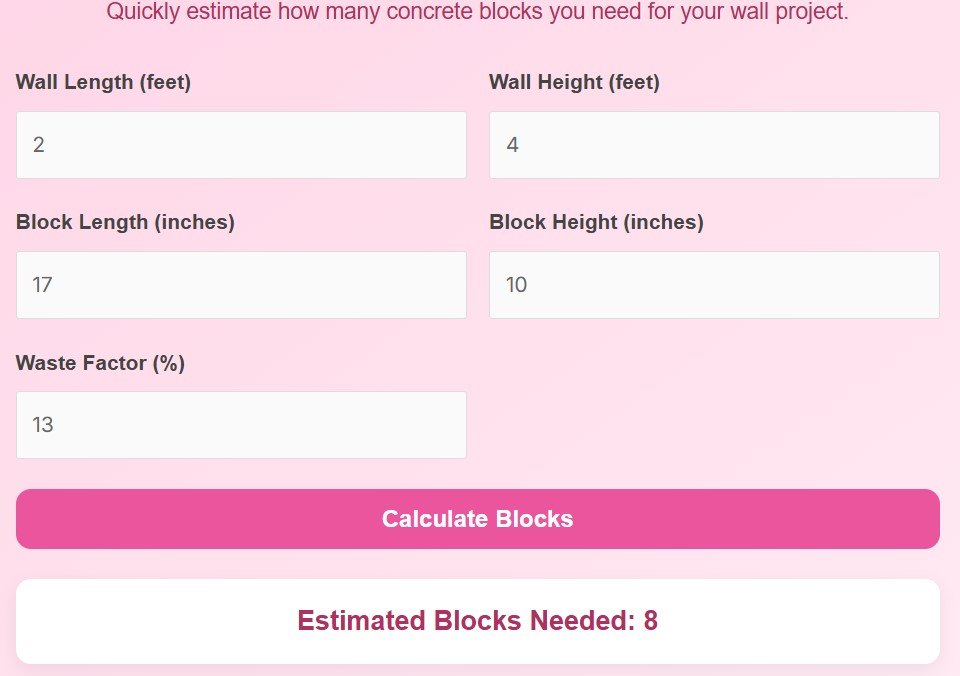
The calculator works by using the dimensions of the wall and the size of the concrete block to estimate how many blocks will be needed to complete the structure. By entering simple measurements such as wall length, wall height, and block size, the calculator instantly provides an estimate of the total blocks required. Many calculators also include a waste factor, which adds extra blocks to account for cutting, breakage, or construction errors.
This tool is helpful for contractors, builders, engineers, DIY homeowners, and construction planners who want a quick and reliable estimate before starting their project. Instead of guessing or overbuying materials, users can plan their construction more efficiently.
Using a Concrete Block Calculator also helps in budgeting because it gives a clear idea of how many blocks you need to purchase. This prevents unnecessary expenses and reduces material wastage, making the construction process more efficient and environmentally friendly.
How to Use It
Using a Concrete Block Calculator is very simple and requires only a few basic measurements. Follow these steps to estimate the number of blocks needed for your project:
1. Enter the Wall Length
Start by entering the total length of the wall you plan to build. This is usually measured in feet or meters depending on the calculator settings.
2. Enter the Wall Height
Next, input the height of the wall. This measurement helps determine the total surface area of the wall.
3. Provide the Block Size
Concrete blocks come in different sizes, but a common standard size is 16 inches long and 8 inches high. Enter the dimensions of the block you plan to use.
4. Add Waste Percentage
Construction projects often require extra materials for cuts, breakage, or mistakes. Many calculators allow you to include a waste factor (usually 5–10%).
5. Click the Calculate Button
After entering all the required values, click the calculate button. The calculator will instantly show the estimated number of blocks required for the project.
This quick process saves time and provides a reliable estimate that helps you plan your materials more efficiently.
Advantages
Using a Concrete Block Calculator offers several benefits for construction projects:
1. Saves Time
Instead of doing complex calculations manually, the calculator provides instant results in seconds.
2. Improves Accuracy
Manual calculations can easily lead to mistakes. A calculator reduces errors and provides more accurate estimates.
3. Helps with Budget Planning
Knowing the exact number of blocks required helps you estimate the total material cost before starting construction.
4. Reduces Material Waste
By calculating the correct number of blocks, the tool helps prevent over-ordering and reduces construction waste.
5. Easy to Use
Most calculators only require simple inputs like wall dimensions and block size, making them user-friendly even for beginners.
6. Useful for Multiple Projects
Whether you are building a garden wall, boundary wall, garage, or house, this tool can be used for many construction applications.
FAQs
1. What is the standard size of a concrete block?
The most common concrete block size is 16 inches long, 8 inches high, and 8 inches wide, but other sizes are also available depending on construction needs.
2. Why should I add a waste factor?
A waste factor accounts for damaged blocks, cutting, and unexpected construction issues. Adding 5–10% extra blocks is a common practice.
3. Can this calculator be used for all types of walls?
Yes, the calculator can be used for most masonry walls, including boundary walls, garden walls, and building structures.
4. Does the calculator include mortar calculations?
Most basic calculators only estimate the number of blocks. Mortar calculations may require a separate tool.
5. Is this calculator suitable for DIY users?
Yes, the calculator is designed to be simple and easy to use, making it suitable for homeowners, DIY builders, and professionals alike.
Disclaimer
This calculator provides estimated values for planning purposes only and actual material requirements may vary depending on construction methods and site conditions.
Always consult a qualified contractor or structural engineer for precise construction calculations and project planning.